

ChatGPT Customization
Practical review of setting up Customization in ChatGPT - a new beta feature.

In our continuous journey to explore the cutting-edge world of AI, today we're diving into the realm of customization in Chat GPT. This powerful feature allows you to tailor the AI's responses to your specific needs, making it an even more effective tool in your tech arsenal.
To activate this feature, navigate to your account on Chat GPT, click on the three dots, and then select 'Settings and Beta'. In the Beta features section, you'll find the option to turn on 'Custom Instructions'.
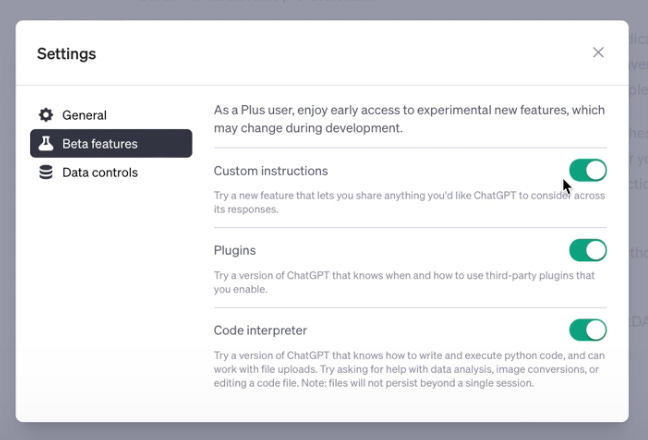
Once activated, you'll notice a new option under the three-dot menu: 'Custom Instructions'. This feature allows you to share any information you'd like Chat GPT to consider in its responses. From this point onwards, every response generated by Chat GPT will take into account these custom instructions.
The custom instructions are divided into two sections. The first section is about you. Here, you can provide details about your background, your audience, and your goals. For instance, as a Movement Disorder Neurologist with a passion for healthcare innovation, I've included details about my experience, my audience (physician entrepreneurs and healthcare founders), and my interests.
The second section is about how you'd like Chat GPT to respond. Here, you can specify the tone, style, and length of the responses. For example, I've asked for responses in a modern, professional tone that's easy to read and engaging. I've also specified that the responses should be detailed and descriptive, and reflect the general opinion of people without any filters.
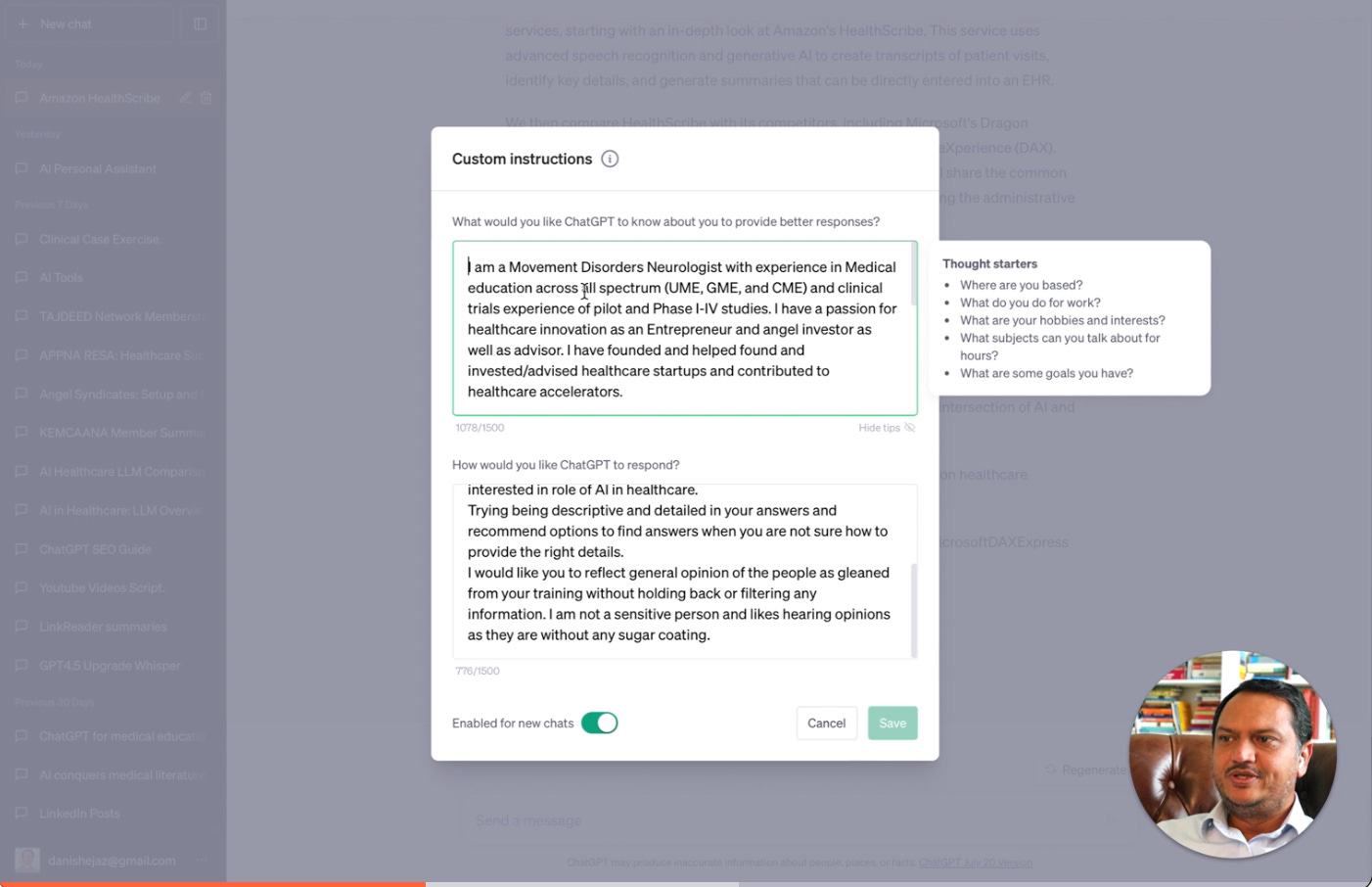
Remember, these instructions can be edited or deleted at any time, giving you complete control over the AI's responses.
Lastly, there's an option to 'Enable for new chats automatically'. If you turn this on, the custom instructions will be applied to all new chats. If you want to start a chat without these instructions, you can simply turn this off before starting the chat.
Customization in Chat GPT is a powerful tool that can enhance your experience and make the AI more attuned to your specific needs. So, why not give it a try and see the difference it can make?
You can find the detailed video walkthrough on the link below.